Tesla Software Release 2026.20.3
Last updated 20-Jun-2026
Tesla Software release 2026.20.3 including Security Improvements, Blind Spot Warning While Parked.
Included releases
2026.20.3, (2.27 % of cars)

- Seen in CA DE GB HU IE IT PL SK US
- Seen on MS M3 MY M3(H) MY(J)
- Seen on AP Hardware HW3 HW4
- Seen on MCU hardware Intel Ryzen
Security Improvements (part of 2026.20.3)
This update includes important security fixes and improvements.
- Seen in DE IT PL
- Seen on MS MY MY(J)
- Seen on AP Hardware HW4
- Seen on MCU hardware Ryzen
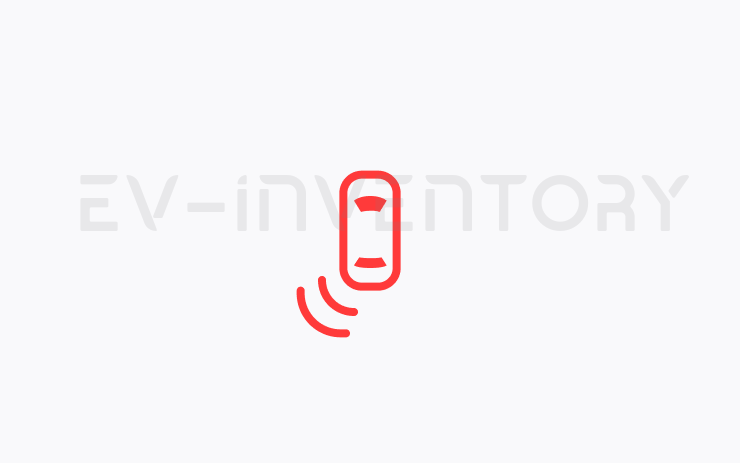
Blind Spot Warning While Parked (part of 2026.20.3)
If you attempt to open a door while an approaching object is detected in your blind spot (for example, a bicyclist approaching from behind) the blind spot indicator light flashes, a chime sounds, and your door will not open upon initial button press. Wait a short time and press the button a second time to override the warning.
Other release notes for the family: 2026.20
Security Improvements (part of 2026.20.3)
This update includes important security fixes and improvements.
Seen in CA DE GB HU IE IT PL SK US
Seen on MS M3 MY M3(H) MY(J)
Seen on AP versions AP3 AP4
Seen on MCU hardware Intel Ryzen
Blind Spot Warning While Parked (part of 2026.20.3)
If you attempt to open a door while an approaching object is detected in your blind spot (for example, a bicyclist approaching from behind) the blind spot indicator light flashes, a chime sounds, and your door will not open upon initial button press. Wait a short time and press the button a second time to override the warning.
Seen in DE IT PL
Seen on MS MY MY(J)
Seen on AP versions AP4
Seen on MCU hardware Ryzen

Dashcam Clip Encryption (part of 2026.20)
Dashcam clips are now encrypted for privacy when saved to your USB flash drive. Only your vehicle can view them. To decrypt clips, tap the padlock icon in the Dashcam app or visit dashcam.tesla.com. To disable encryption, go to Controls > Safety > Encrypt Dashcam Recordings.
Seen in AE AT BE CA CH CZ DE ES FR GB HU IL IT NL NO PL PT RO RS SE SG SI SK TH TR UA US
Seen on MS MS(2021+) MX(2022+) M3 MY M3(H) MY(J)
Seen on AP versions AP3 AP4
Seen on MCU hardware Ryzen

Parental Controls (part of 2026.20)
You can now block Browser, Theater, and Arcade from your Tesla by going to Controls > Safety > Parental Controls while in Park.
Seen in AE AT BE CA CH CZ DE ES FR GB HU IL IT NL NO PL PT RO RS SE SG SI SK TH TR UA US
Seen on MS MS(2021+) MX(2022+) M3 MY M3(H) MY(J)
Seen on AP versions AP3 AP4
Seen on MCU hardware Ryzen

Security Improvements (part of 2026.20)
This update includes important security fixes and improvements.
Seen in AE AT BE CA CH CZ DE ES FR GB HU IL IT NL NO PL PT RO RS SE SG SI SK TH TR UA US
Seen on MS MS(2021+) MX(2022+) M3 MY M3(H) MY(J)
Seen on AP versions AP3 AP4
Seen on MCU hardware Ryzen

"Hey Grok" (part of 2026.20)
You can now talk to Grok, an intelligent assistant built by xAI. To launch Grok, go to App Launcher > Grok, long-press the voice button on your steering wheel, or say "Hey Grok." Enable "Hey Grok" in Grok > Settings. Say "goodbye" to dismiss.
You can choose Grok's voice and personality, ranging from Storyteller to Unhinged. Set Grok's personality to Assistant to have Grok add and edit navigation destinations, becoming your personal guide. You can also set location based reminders, like "remind me to pick up milk when I'm near home." Enable location based reminders in Grok > Settings.
Requires Premium Connectivity or a WiFi connection. Conversations are anonymous to Tesla and not associated with your vehicle.
Note: Grok is currently in early Beta and does not support voice commands for car controls other than navigation. Existing voice commands remain unchanged. "Hey Grok" is trained on American English.
Seen in SG TH
Seen on M3 MY M3(H) MY(J)
Seen on AP versions AP4
Seen on MCU hardware Ryzen
How do I get the latest Software Update from Tesla?
There is o reliable way to get the a software update from Tesla unless it is linked to a service request.
I do not have all the features listed?
Some features are only available on some models, versions of hardware, software options purchased and even countries. We list as much information as we can as to which of those are required for each feature based on the information taken from real cars.