Tesla Software Release 2026.4
Last updated 02-May-2026
Tesla Software release 2026.4 including FSD (Supervised) v14.1.4, Speed Profiles, UI Improvements, Brake Confirm, Full Self-Driving (Supervised).
Included releases
2026.4.5, (<0.1% of cars)
Regional coverage by model
North America-----Europe-----RoWMSMX---
- Seen in KR
- Seen on MS(2021+) MX(2022+)
- Seen on AP Hardware HW4
- Seen on MCU hardware Ryzen
FSD (Supervised) v14.1.4 (part of 2026.4.5)
- Added Arrival Options for you to select whether FSD should park or stop curbside.
- Added navigation and routing into the vision-based neural network for real-time handling of blocked roads and detours.
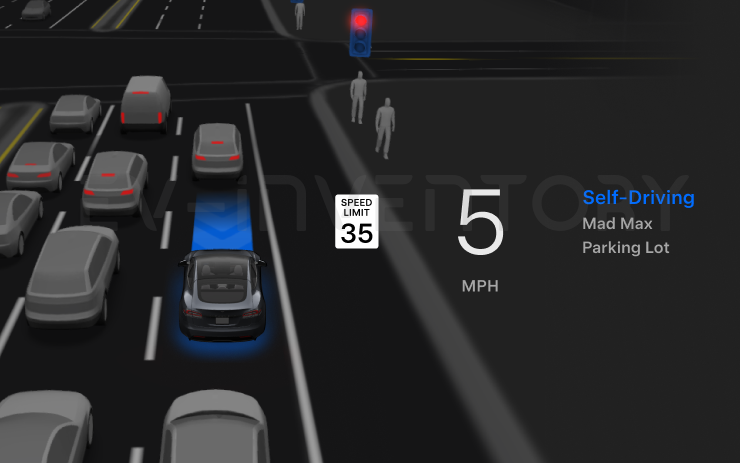
- Added additional Speed Profile to further customize driving style preference.
- Improved handling for static and dynamic gates.
- Improved offsetting for road debris (e.g. tires, tree branches, boxes).
- Improve handling of several scenarios including: unprotected turns, lane changes, vehicle cut-ins, and school busses.
- Improved FSD's ability to manage system faults and recover smoothly from degraded operation for enhanced reliability.
- Added alerting for residue build-up on interior windshield that may impact front camera visibility. If affected, visit Service for cleaning!
Upcoming Improvements:
- Overall smoothness and sentience
- Parking spot selection and parking quality
- Seen in KR
- Seen on MS(2021+) MX(2022+)
- Seen on AP Hardware HW4
- Seen on MCU hardware Ryzen
Speed Profiles (part of 2026.4.5)
FSD (Supervised) will now determine the appropriate speed based on a mix of driver profile, speed limit, and surrounding traffic. However, the speed determined by the FSD (Supervised) may differ from the speed limit, and the driver is responsible for controlling the vehicle speed at all times.
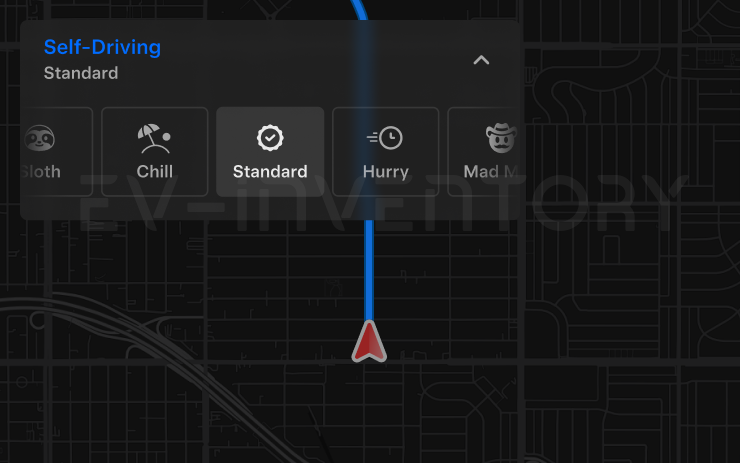
- Introduced new Speed Profile SLOTH, which comes with lower speeds & more conservative lane selection than CHILL.
- Introduced new speed profile MAD MAX, which comes with higher speeds and more frequent lane changes than HURRY.
- Driver profile now has a stronger impact on behavior. The more assertive the profile, the higher the max speed.
- Right scroll-wheel up/down now adjusts Speed Profile setting rather than your precise max speed offset selection in mph/kph.
- Seen in KR
- Seen on MS(2021+) MX(2022+)
- Seen on AP Hardware HW4
- Seen on MCU hardware Ryzen
UI Improvements (part of 2026.4.5)
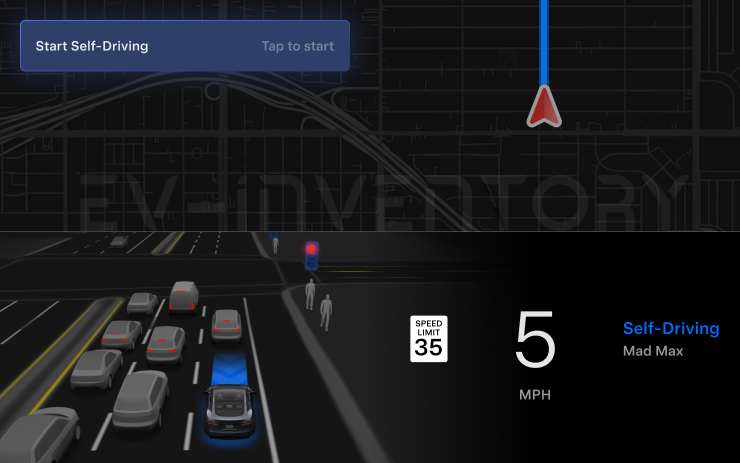
- Start Self-Driving with a tap of the touchscreen from Park, or any time during your drive.
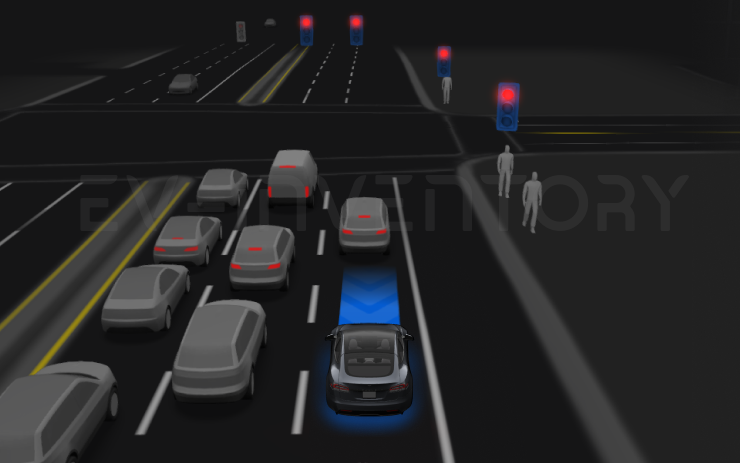
- Adjust settings like the Speed Profile and Arrival Options directly from the Autopilot visualization on the center display.
- Seen in KR
- Seen on MS(2021+) MX(2022+)
- Seen on AP Hardware HW4
- Seen on MCU hardware Ryzen
Brake Confirm (part of 2026.4.5)
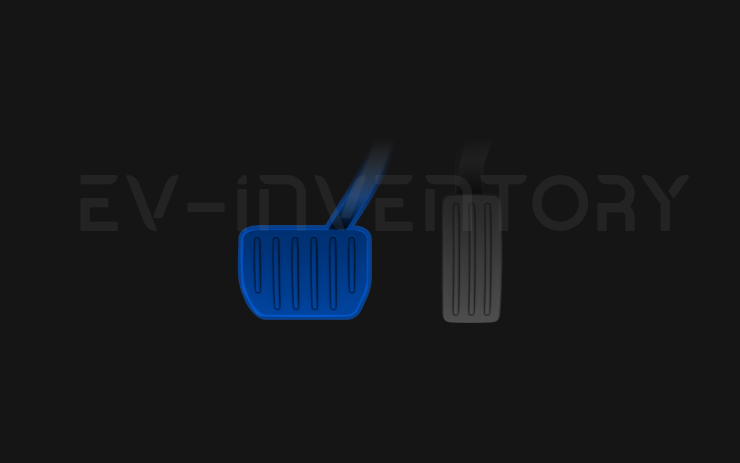
Brake Confirm for the Start Self-Driving button is defaulted off. When disabled, Start Self-Driving will not require you to press and release the brake to confirm engagement.
You can enable Brake Confirm in Autopilot > Brake Confirm.
- Seen in KR
- Seen on MS(2021+) MX(2022+)
- Seen on AP Hardware HW4
- Seen on MCU hardware Ryzen
Full Self-Driving (Supervised) (part of 2026.4.5)
Under your supervision, Full Self-Driving (Supervised) can drive your Tesla almost anywhere. It will start from a parked position, make lane changes, select forks to follow your navigation route, navigate around other vehicles and objects, make left and right turns and park at your destination. You and anyone you authorize must use additional caution and remain attentive. It does not make your vehicle autonomous. Do not become complacent.
Full Self-Driving (Supervised) is enabled on your vehicle. To use the feature, press the Start Self-Driving button on the UI, or press the right scroll wheel button once. You can disable Full Self-Driving (Supervised) in Autopilot Settings.
How do I get the latest Software Update from Tesla?
- Seen in KR
- Seen on MS(2021+) MX(2022+)
- Seen on AP Hardware HW4
- Seen on MCU hardware Ryzen
FSD (Supervised) v14.1.4 (part of 2026.4.5)
- Added Arrival Options for you to select whether FSD should park or stop curbside.
- Added navigation and routing into the vision-based neural network for real-time handling of blocked roads and detours.
- Added additional Speed Profile to further customize driving style preference.
- Improved handling for static and dynamic gates.
- Improved offsetting for road debris (e.g. tires, tree branches, boxes).
- Improve handling of several scenarios including: unprotected turns, lane changes, vehicle cut-ins, and school busses.
- Improved FSD's ability to manage system faults and recover smoothly from degraded operation for enhanced reliability.
- Added alerting for residue build-up on interior windshield that may impact front camera visibility. If affected, visit Service for cleaning!
Upcoming Improvements:
- Overall smoothness and sentience
- Parking spot selection and parking quality
- Seen in KR
- Seen on MS(2021+) MX(2022+)
- Seen on AP Hardware HW4
- Seen on MCU hardware Ryzen
Speed Profiles (part of 2026.4.5)
FSD (Supervised) will now determine the appropriate speed based on a mix of driver profile, speed limit, and surrounding traffic. However, the speed determined by the FSD (Supervised) may differ from the speed limit, and the driver is responsible for controlling the vehicle speed at all times.
- Introduced new Speed Profile SLOTH, which comes with lower speeds & more conservative lane selection than CHILL.
- Introduced new speed profile MAD MAX, which comes with higher speeds and more frequent lane changes than HURRY.
- Driver profile now has a stronger impact on behavior. The more assertive the profile, the higher the max speed.
- Right scroll-wheel up/down now adjusts Speed Profile setting rather than your precise max speed offset selection in mph/kph.
- Seen in KR
- Seen on MS(2021+) MX(2022+)
- Seen on AP Hardware HW4
- Seen on MCU hardware Ryzen
UI Improvements (part of 2026.4.5)
- Start Self-Driving with a tap of the touchscreen from Park, or any time during your drive.
- Adjust settings like the Speed Profile and Arrival Options directly from the Autopilot visualization on the center display.
- Seen in KR
- Seen on MS(2021+) MX(2022+)
- Seen on AP Hardware HW4
- Seen on MCU hardware Ryzen
Brake Confirm (part of 2026.4.5)
Brake Confirm for the Start Self-Driving button is defaulted off. When disabled, Start Self-Driving will not require you to press and release the brake to confirm engagement.
You can enable Brake Confirm in Autopilot > Brake Confirm.
- Seen in KR
- Seen on MS(2021+) MX(2022+)
- Seen on AP Hardware HW4
- Seen on MCU hardware Ryzen
Full Self-Driving (Supervised) (part of 2026.4.5)
Under your supervision, Full Self-Driving (Supervised) can drive your Tesla almost anywhere. It will start from a parked position, make lane changes, select forks to follow your navigation route, navigate around other vehicles and objects, make left and right turns and park at your destination. You and anyone you authorize must use additional caution and remain attentive. It does not make your vehicle autonomous. Do not become complacent.
Full Self-Driving (Supervised) is enabled on your vehicle. To use the feature, press the Start Self-Driving button on the UI, or press the right scroll wheel button once. You can disable Full Self-Driving (Supervised) in Autopilot Settings.
There is o reliable way to get the a software update from Tesla unless it is linked to a service request.
I do not have all the features listed?
Some features are only available on some models, versions of hardware, software options purchased and even countries. We list as much information as we can as to which of those are required for each feature based on the information taken from real cars.