Tesla Software Release 2026.39.100
Last updated 15-Nov-2026
Tesla Software release 2026.39.100 including FSD (Supervised) Naming Update, Tesla Assisted Driving, Minor Fixes.
Included releases
2026.39.100, (3.12 % of cars)
- Seen in BE CZ FI HU NL
- Seen on MY M3(H) MY(J)
- Seen on AP Hardware HW4
- Seen on MCU hardware Ryzen
FSD (Supervised) Naming Update (part of 2026.39.100)
This change only updates the name of certain features and text in your vehicle, and does not change the way your features behave.
- Seen in BE CZ HU NL
- Seen on MY M3(H) MY(J)
- Seen on AP Hardware HW4
- Seen on MCU hardware Ryzen
Tesla Assisted Driving (part of 2026.39.100)
Under your supervision, Tesla Assisted Driving can drive your Tesla almost anywhere. It will start from a parked position, make lane changes, select forks to follow your navigation route, navigate around other vehicles and objects, make left and right turns and stop at your destination. You and anyone you authorize must use additional caution and remain attentive. It does not make your vehicle autonomous. Do not become complacent.
Tesla Assisted Driving is enabled on your vehicle. To use the feature, first watch the tutorial and take the quiz, available in the Assisted Driving App or in Control > Assisted Driving. Then press the Start Assisted Driving button on the UI, or press the right scroll wheel button once. You can disable Tesla Assisted Driving in Assisted Driving Settings.
- Seen in BE DE DK NL
- Seen on MY M3(H) MY(J)
- Seen on AP Hardware HW4
- Seen on MCU hardware Ryzen
Minor Fixes (part of 2026.39.100)
This release contains minor fixes and improvements
Other release notes for the family: 2026.39
FSD (Supervised) Naming Update (part of 2026.39.100)
This change only updates the name of certain features and text in your vehicle, and does not change the way your features behave.
Seen in BE CZ FI HU NL
Seen on MY M3(H) MY(J)
Seen on AP versions AP4
Seen on MCU hardware Ryzen
Tesla Assisted Driving (part of 2026.39.100)
Under your supervision, Tesla Assisted Driving can drive your Tesla almost anywhere. It will start from a parked position, make lane changes, select forks to follow your navigation route, navigate around other vehicles and objects, make left and right turns and stop at your destination. You and anyone you authorize must use additional caution and remain attentive. It does not make your vehicle autonomous. Do not become complacent.
Tesla Assisted Driving is enabled on your vehicle. To use the feature, first watch the tutorial and take the quiz, available in the Assisted Driving App or in Control > Assisted Driving. Then press the Start Assisted Driving button on the UI, or press the right scroll wheel button once. You can disable Tesla Assisted Driving in Assisted Driving Settings.
Seen in BE CZ HU NL
Seen on MY M3(H) MY(J)
Seen on AP versions AP4
Seen on MCU hardware Ryzen
Minor Fixes (part of 2026.39.100)
This release contains minor fixes and improvements
Seen in BE DE DK NL
Seen on MY M3(H) MY(J)
Seen on AP versions AP4
Seen on MCU hardware Ryzen
FSD (Supervised) (part of 2026.39.6)
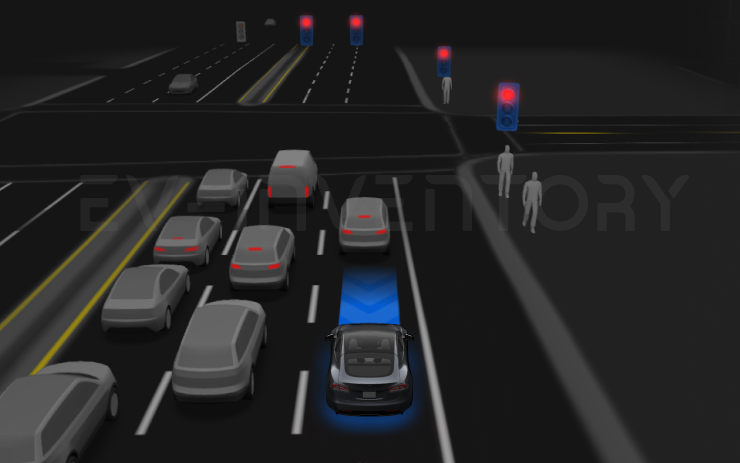
Under your supervision, FSD (Supervised) can drive your Tesla almost anywhere. It will start from a parked position, make lane changes, select forks to follow your navigation route, navigate around other vehicles and objects, make left and right turns and stop at your destination. You and anyone you authorize must use additional caution and remain attentive. It does not make your vehicle autonomous. Do not become complacent.
FSD (Supervised) is enabled on your vehicle. To use the feature, first watch the tutorial and take the quiz, available in the new Self-Driving App or in Control > Self-Driving. Then press the Start FSD (Supervised) button on the UI, or press the right scroll wheel button once. You can disable FSD (Supervised) in Self-Driving Settings.
Seen in BE CZ HU NL SK
Seen on MY M3(H) MY(J)
Seen on AP versions AP4
Seen on MCU hardware Ryzen
Minor Fixes (part of 2026.39.6)
This release contains minor fixes and improvements
Seen in BE DE DK NL
Seen on MY M3(H) MY(J)
Seen on AP versions AP4
Seen on MCU hardware Ryzen
How do I get the latest Software Update from Tesla?
There is o reliable way to get the a software update from Tesla unless it is linked to a service request.
I do not have all the features listed?
Some features are only available on some models, versions of hardware, software options purchased and even countries. We list as much information as we can as to which of those are required for each feature based on the information taken from real cars.